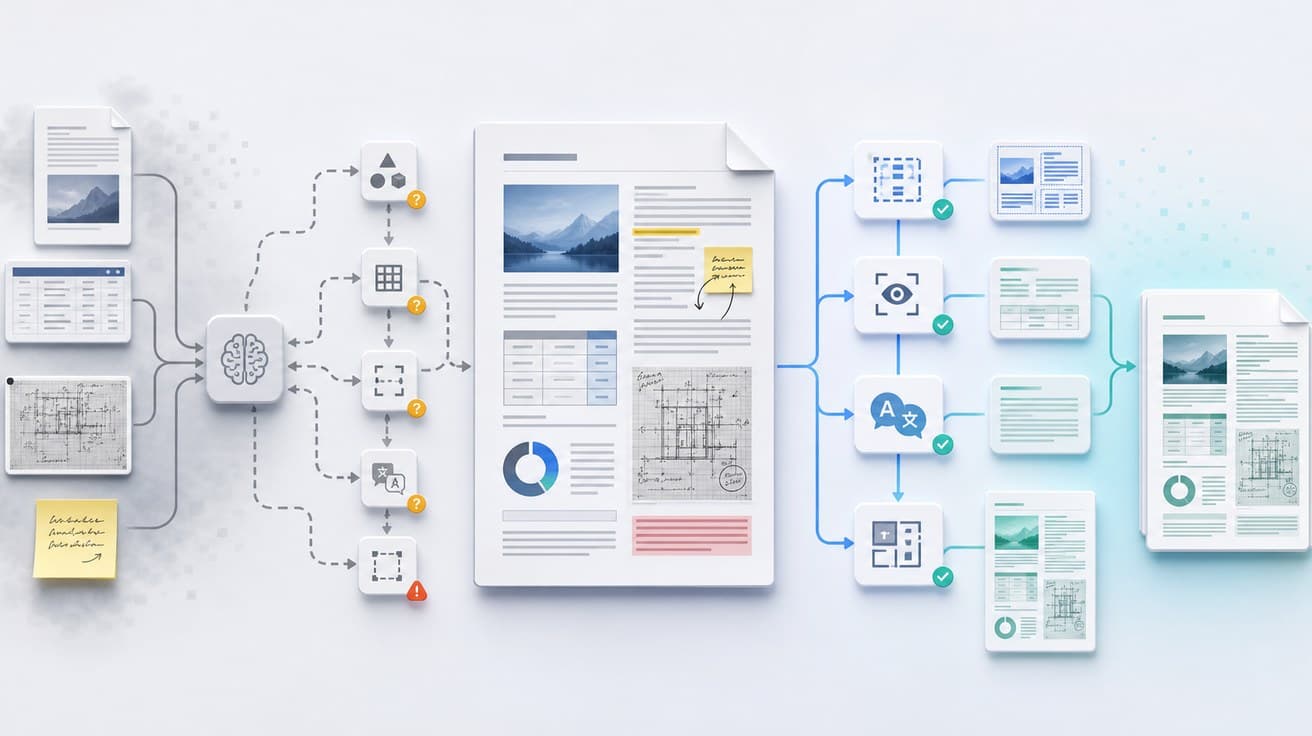
The most frustrating aspect of translating PDF documents is the drastic degradation of formatting after translation. Regardless of whether it is an academic paper, business contract, or product manual, formatting errors can result in failed information transmission.
To identify tools capable of balancing both 'translation quality' and 'format preservation,' we conducted an in-depth evaluation of five leading online PDF translation platforms. This article proceeds directly to the evaluation, analyzing each tool’s strengths, weaknesses, and most appropriate application scenarios.
Core Evaluation Criteria
Our evaluation is primarily based on the following five key indicators:
- Translation Quality (AI Model): Is the translation accurate and fluent, and does it align with natural human expression?This typically depends on the underlying AI model (such as GPT-4, DeepL, etc.).
- Format Preservation Capability: This is the primary focus of this evaluation. We assess the tool’s ability to accurately reproduce multi-column layouts, charts, headers and footers, image positioning, and font styles.
- OCR (Scanned Document Handling): Does the tool support optical character recognition, i.e., can it translate scanned PDFs or image-based documents?
- Cost and Pricing: What are the limitations of the free version? Are the paid plans reasonably priced? Are charges based on page count, word count, or subscription?
Core Feature Comparison of Five Major PDF Translation Websites
| Functional Dimensions | 商译 AI(ShangYi AI) | Google Translate | DeepL Translator | DocTranslator | DeftPDF |
|---|---|---|---|---|---|
| Translation Quality | ⭐⭐⭐⭐⭐ (Multi-model) | ⭐⭐⭐ (Standard NMT) | ⭐⭐⭐⭐⭐ (DeepL Model) | ⭐⭐⭐ (Third-party) | ⭐⭐⭐ (Third-party) |
| Formatting Preservation Capability | ⭐⭐⭐⭐⭐ (High) | ⭐ (Almost none) | ⭐⭐⭐ (Average) | ⭐⭐⭐ (Fair) | ⭐⭐ (Poor) |
| OCR Scanned Document Translation | ✅ Supported | ❌ Not Supported | ✅ Supported | ✅ Supported | ❌ Not Supported |
| Professional Features (Terminology Management) | ✅ Supported | ❌ Not Supported | ❌ Not Supported | ❌ Not Supported | ❌ Not Supported |
| Pricing Model | Pay after preview, pay-as-you-go | Free | Free / Premium Subscription | Ads / Paid | Per Page / Subscription |
Comprehensive Review of the Top 5 PDF Translation Platforms for 2025
1. ShangYi AI
ShangYi AI is a relatively new professional-grade document translation tool. Its primary advantages include high-fidelity formatting preservation and support for multiple AI models.
Evaluation Details:
- Translation Quality (⭐⭐⭐⭐⭐): It does not depend on a single model, but rather integrates a variety of top-tier AI models both domestic and international, such as DeepSeek. Users can select the appropriate model according to the importance of the document and their budget. In testing, DeepSeek demonstrated excellent performance in the translation of professional terminology and contextual comprehension.
- Formatting Preservation (⭐⭐⭐⭐⭐): This is its most notable strength. In our tests, it was able to faithfully reproduce complex layouts. Even for multi-column academic papers or business reports with complex charts and annotations, it is able to preserve the original layout post-translation, with headers, footers, and image placement essentially unchanged.
- Professional Features & OCR (✅): Supports OCR and can process scanned documents. It also provides a terminology database feature, which is highly practical for enterprises and scholars requiring standardized brand names or technical terminology. Bilingual comparison files are also available for download.
- Cost: It adopts a 'preview first, pay later' model, allowing users to view the complete translation and formatting results for free and make payment only after confirming satisfaction, thereby reducing usage risk. For enterprises, it also offers a localized deployment option, addressing core data security challenges.
- Objective Drawbacks: As a professional tool, the free quota is relatively limited and primarily intended for functionality evaluation (although previews are free). For frequent or large-scale use, a subscription is required.
Intended Audience: Scholars, legal professionals, business professionals with strict requirements for formatting preservation, as well as enterprises that need to handle sensitive data.
2. Google Translate
Google Translate is the most widely recognized translation tool, known for its convenience, free access, and extensive language support.
Evaluation Details:
- Translation Quality (⭐⭐⭐): Google's Neural Machine Translation (NMT) performs well for everyday language but can be rigid or prone to misunderstandings when handling specialized content or complex sentences.
- Formatting Preservation (⭐): Almost none. This is the primary shortcoming of Google Translate when processing PDFs. After uploading the PDF, the tool converts it into a plain text stream for translation, resulting in the loss of all original formatting, images, tables, and line breaks. The output is pure text that requires manual copying and reformatting.
- Professional features & OCR (❌): OCR is not supported, so scanned PDFs cannot be translated. Professional features such as terminology management and bilingual comparison are also unavailable.
- Cost: Completely free. However, it should be noted that, according to its terms of service, Google retains and uses user data to improve its services. Therefore, it is not suitable for translating any confidential documents.
- Objective limitations: There is a 10MB file size and 300-page limit. The most significant drawback is the complete loss of formatting.
Applicable Users: Users who need to quickly and freely extract and understand the general text content of a PDF, and are completely unconcerned with formatting.
3. DeepL Translator
DeepL is renowned for its high-quality, 'native-like' translation style, particularly excelling in translations between European languages.
Evaluation Details:
- Translation Quality (⭐⭐⭐⭐⭐): DeepL's model is exceptional in understanding context and producing fluent translations. Its output is typically more natural and 'human-like' than Google's.
- Formatting Preservation (⭐⭐⭐): Performance is average.** DeepL performs fairly well when processing PDFs with simple formatting, such as single-column layouts or plain text. However, for complex tables, multi-column layouts, or mixed image and text layouts, issues such as misalignment, overlap, and font inconsistencies become quite apparent. The Pro version is better at handling formatting than the free version, though this remains a relative weakness.
- Professional Features and OCR (✅): The Pro version supports OCR and can translate scanned documents, but the free version is subject to significant limitations.
- Cost: The free version imposes a 5MB file size limit and allows up to 3 files per month. The Pro version subscription fee is relatively high (starting from 7 EUR per month), making it less economical for occasional users. The Pro version also commits to not storing user data.
- Objective Weaknesses: PDF formatting retention is a notable shortcoming; the free version has strict limitations, and the premium version is expensive.
Target Users: Users who prioritize the highest text translation quality (especially for European languages), have sufficient budget, and do not have high requirements for retaining the original PDF formatting.
4. DocTranslator
This is a well-established online document translation service that supports a wide variety of languages and file formats.
Evaluation Details:
- Translation Quality (⭐⭐⭐): It does not provide its own translation engine but integrates third-party translation APIs (such as Google). As a result, translation quality is limited to the capabilities of the selected engine.
- Format Preservation (⭐⭐⭐): Overall performance is satisfactory. ** As a document-centric tool, its grasp of formatting is superior to that of Google. It can retain basic layout and paragraph structure, but its capacity for handling complex elements is limited and still requires extensive manual proofreading.
- Professional Features and OCR (✅): Supports OCR and can process scanned PDFs.
- Cost: The website depends on advertising, and the user experience is average. Large file translation requires payment, with pricing that is relatively high. The data security policy is somewhat unclear, so it is not recommended for sensitive documents.
- Objective Weaknesses: The interface is outdated, there are many ads, and translation quality relies on third-party providers, resulting in low cost-effectiveness.
Applicable Users: Users with a one-time need to translate documents in less common languages, who do not mind advertisements or average translation quality.
5. DeftPDF
DeftPDF is essentially an online PDF 'toolbox' that provides a variety of features such as editing, merging, splitting, and compression, with translation being just one of its functionalities.
Evaluation Details:
- Translation Quality (⭐⭐⭐): Also relies on third-party translation services; the quality is average and unremarkable.
- Format Retention (⭐⭐): **Performs relatively poorly.**In our testing, the formatting issues after translation were quite severe, even worse than DeepL, indicating that translation is not its core optimized feature.
- Professional Features and OCR (❌): OCR is not supported, so scanned documents cannot be processed.
- Cost: The pricing model is distinctive, charging per page (1 USD per page, 0.5 USD per page for subscribers). If you need to translate a 100-page document, costs will be extremely high.
- Objective Drawbacks: Lacks OCR support, has weak formatting retention, and the per-page charging model is not cost-effective for translating lengthy documents.
Target Audience: Primarily suitable for users whose main needs are other PDF editing features (such as merging or splitting), and who only occasionally need to translate a few simple pages.
Summary: How to Choose According to Your Use Case?
No tool is perfect; selection depends on your core requirements. The table below can help you quickly identify the appropriate solution:
| Use Case | Core Requirement | Recommended Tool | Remarks/Reason |
|---|---|---|---|
| Academic Papers / Professional Reports | High translation accuracy, advanced format retention, OCR | 商译 AI(ShangYi AI) | Its layout fidelity and professional functionalities (such as terminology database) demonstrated outstanding performance during testing. |
| Business Contracts / Confidential Documents | Data security, translation accuracy, consistent formatting | ShangYi AI (local deployment) DeepL Pro (pledges no data retention) | Security is the top priority. Avoid using Google or ad-driven services. |
| Quick content overview | Free, fast, text extraction | Google Translate | As long as the document is non-confidential and you are completely unconcerned about formatting. |
| For idiomatic text, especially in European languages | Highest level of textual fluency | DeepL | High-quality text translation, but you must accept its less-than-perfect PDF formatting. |
I hope this comprehensive review will help you identify the tool best suited to your requirements, and put an end to PDF translation gibberish and formatting issues.