Why Is It Not Recommended to Use AI Agents Like Codex to Directly Translate PDFs?
Brief Conclusion
AI agents can help you read PDFs, answer questions, summarize content, explain terminology, and assist in reviewing and refining key passages. But if you want a formatted, stable, downloadable PDF translation that can be shared with colleagues or clients, directly using an agent to process the entire document from scratch is usually not the most reliable choice.
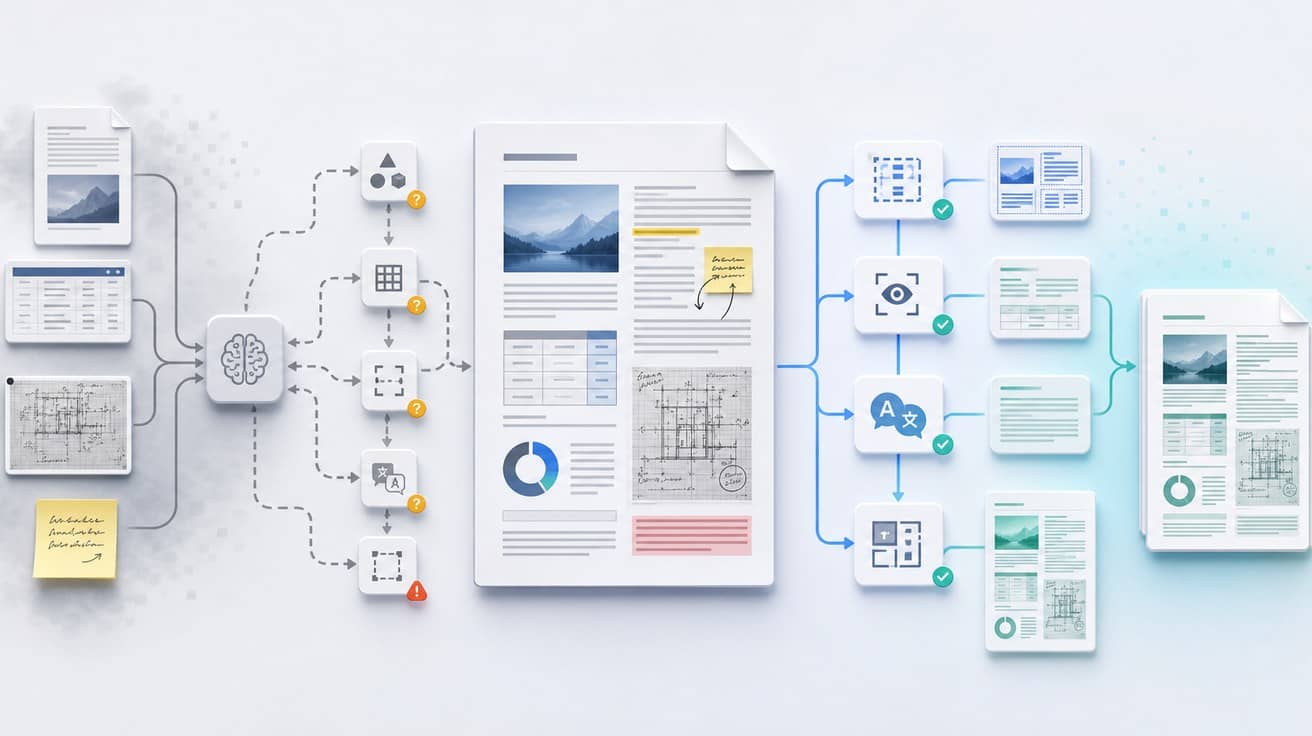
The challenges of PDF translation extend beyond translation accuracy alone. The two-column structure of academic papers, charts and annotations in engineering materials, headers and footers in business PDFs, OCR for scanned documents, and text reflow for comics or mixed text-image layouts all require systems to understand both language and page structure simultaneously.
So a more reasonable division of labor is: when you need to understand content, use tools like Codex and ChatGPT Agent; when you need to deliver PDF translations, use specialized document translation tools like Shangyi AI.
Can AI agents translate PDFs?
Yes, but they're better suited for 'assisted understanding' rather than as 'PDF delivery tools'.
For instance, you can ask an agent to quickly summarize a foreign-language paper, explain a section of engineering specifications, extract risk clauses from a contract, or check whether a translation reads naturally. These tasks are essentially about content understanding and language judgment, which agents excel at.
But complete PDF translation also requires handling document layout. Text in PDFs may not be continuous paragraphs, but rather text blocks placed at page coordinates; scanned PDFs don't even have a real text layer, they're just images; captions, footnotes, tables, page numbers, and watermarks may also be misread or sequenced incorrectly.
These problems cannot be solved by prompts alone; they require specialized layout parsing, OCR, translation, text refilling, and visual verification processes.
AI agent vs. specialized PDF translation tools
| Dimension | AI agent | Specialized PDF translation tools |
|---|---|---|
| Suitable tasks | Reading, summarization, Q&A, polishing key paragraphs, post-translation review | Translate entire PDF and output downloadable translation |
| Typical Scenarios | Ad-hoc paper reading, contract comprehension, terminology explanation, content review | Academic papers, engineering documents, business PDFs, scanned files, mixed text-image materials |
| Layout Processing | Requires ad-hoc extraction, screenshots, OCR, or scripting; results depend on document complexity | Has established layout parsing, OCR, reconstruction, and quality assurance workflows |
| Cost Variation | Long documents, multiple proofreading rounds, and retry attempts amplify costs | Better suited for cost estimation based on document volume and page processing workflows |
| Scanned Files | Requires additional OCR and coordinate remapping; prone to missing or misaligned text | Typically feature built-in OCR, page positioning, and translation backfill capabilities |
| Delivery Experience | Better suited for providing explanations and review suggestions | Better suited for preview, download, sharing, and subsequent review |
Why is PDF translation not ordinary text translation?
The design goal of PDF is to make documents look the same on different devices, not to make content easy to edit. Therefore, PDF translation often requires simultaneous handling of text, page coordinates, images, fonts, tables, and reading order.
A seemingly ordinary PDF may actually contain many implicit challenges:
- Two-column papers require determining whether to read the left or right column first.
- Engineering drawings and technical materials contain extensive callouts, numbering, tables, and units.
- Headers, footers, stamps, and watermarks in business documents don't all necessarily need to be translated.
- Scanned documents require OCR, and the OCR results need to be repositioned back onto the page.
- Comics, brochures, and mixed text-image documents require handling text occlusion and layout refilling.
This is why PDF translation is more like a combined task of 'document understanding + translation + layout reconstruction'. Agents can assist with language-related decisions, but specialized tools are better suited for stable processing of entire documents.
If you care about preserving formatting in PDF translation, you can refer to Shangyi AI's PDF Document Translation Strategy; If you're working with engineering or technical materials, you can also refer to Technical Document Translation Challenge Analysis.
Long PDFs cause agent costs to become unstable
Many people assume that if PDF pages double, agent costs only double. For short documents or plain text scenarios, this estimation generally holds true. But long PDFs, scanned documents, and complex layouts typically don't work this way.
To ensure contextual consistency, the agent may need to repeatedly carry terminology lists, previous context summaries, previously translated segments, page screenshots, OCR results, and proofreading feedback. Each additional round of checking adds new inputs and tool calls.
Complex PDFs often require multiple rounds of rework:
- Extract text and page elements.
- Determine reading order.
- Translate body text, tables, and figure captions.
- Check terminology consistency.
- Correct OCR errors.
- Attempt to restore layout.
- Retry after discovering overflow, occlusion, or missed translations.
So for dozens of pages of research papers, hundreds of pages of engineering documents, or large volumes of scanned files, the cost may shift from approximately linear to superlinear. What's truly consumed is not translating a particular section, but repeated file reading, failed retry attempts, and manual verification.
When can you use an agent?
When you just want to quickly understand a PDF, agents are well-suited.
Typical use cases include:
- Summarizing the research question, methodology, and conclusions of a foreign-language academic paper.
- Explaining key passages in engineering specifications or technical manuals.
- Extracting risk points from contracts or business documents.
- Generating a draft terminology glossary to facilitate consistent translation later.
- Comparing source and target texts to identify potential mistranslations.
- Refining or adjusting the style of key passages.
In other words, agents are more like an on-call analysis assistant, suitable for helping you 'understand' and 'evaluate'.
When should you use Shangyi AI?
If your goal is to obtain a translated document that can be saved, shared, reviewed, or delivered, a specialized tool like Shangyi AI is more suitable.
Especially in the following scenarios:
- Academic papers, research reports, and industry white papers.
- Engineering technical documentation, product manuals, and bidding documents.
- Scanned PDFs or image-based files.
- Complex PDFs containing tables, figure captions, footnotes, double-column, or multi-column layouts.
- Teams that also handle various localization files such as comics and short drama subtitles, seeking a unified workflow.
- Need to preview the translation output first before deciding whether to complete the full document translation.
- Need terminology consistency—cannot have multiple translations for the same term in one document.
- Need team members or clients to directly view the translated PDF.
Shangyi AI's Translation Preview feature is ideal for checking quality and formatting before formal translation; If you frequently handle industry terminology, you can refer to the Shangyi AI Glossary Guide. If your document is a comic or contains mixed graphics and text content, you can also learn about Redrawing and Layout Issues in Comic Translation.
FAQ
Does the cost of AI agent PDF translation grow linearly?
Not necessarily. Short PDFs or files with clear text layers typically increase close to linearly; Long PDFs, scanned documents, complex tables, mixed text-image layouts, and multiple review rounds cause costs to scale exponentially. The primary reasons are context duplication, OCR, tool calls, layout backfilling, and retry attempts after failures.
Why is PDF layout so difficult to preserve?
Because PDFs prioritize page rendering, not editable text structure. After translation, text length changes and the original text boxes may no longer accommodate the content; Tables, images, footnotes, headers and footers, and multi-column reading order also require re-evaluation and validation.
Are Codex or ChatGPT Agent completely unusable for PDF translation?
Not at all. They are well-suited for comprehending documents, explaining passages, extracting terminology, summarizing key points, and assisting with review. It's just that when the goal is to output a complete high-fidelity PDF translation, dedicated PDF translation tools are usually more stable.
Why are scanned PDFs more difficult?
Scanned PDFs are essentially images. The system must first perform OCR to recognize text, then locate it to page coordinates, and handle skewing, blurring, background interference, handwritten annotations, and image occlusion. Errors in either recognition or backfilling will affect the final translation.
What is the recommended workflow?
A more stable approach is: first use commercial AI translation to generate a previewable, downloadable translation file, then use an agent to review key passages, terminology, and specialized expressions. This accommodates both layout delivery and language quality control.
Conclusion
AI agents are well-suited as PDF reading assistants, but not well-suited as complete PDF translation delivery systems. The real difficulty in PDF translation lies in language, OCR, layout, reading order, and visual verification all stacked together.
When needing to quickly understand content, agents can be used. When needing to deliver translated PDFs, it is recommended to use Shangyi AI Document Translation, preview first, then complete the full translation.